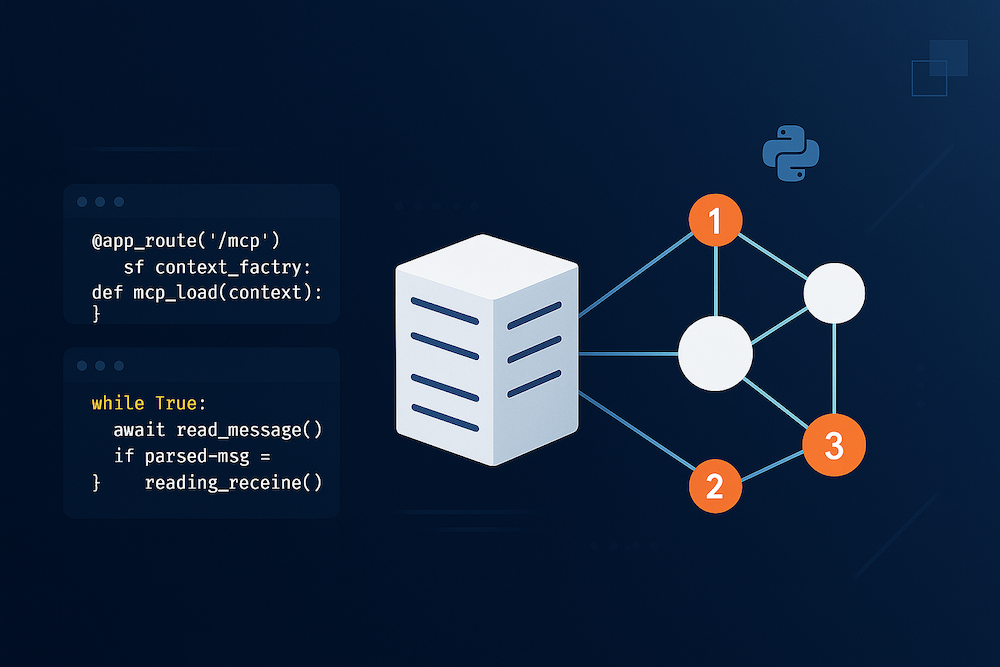
MCP Playground: transforme seu servidor MCP em uma demonstração interativa e pronta para compartilhar

Gere automaticamente em minutos um playground interativo e ao vivo para o seu servidor MCP. Compartilhe um link ou incorpore o widget, deixe que os potenciais clientes experimentem e acompanhe cada sessão nas análises.

Agendar demonstração O que é MCP?
new_releases
Pronto em minutos
task
Demonstração para compartilhar por link

É difícil vender MCP quando ninguém consegue vê-lo funcionar

MCP mal tem um ano. Fora de um pequeno círculo de engenheiros de IA, a maioria dos seus compradores nunca o utilizou — e um muro de esquemas de ferramentas na documentação não vai mudar isso.

groups
Protocolo novo, público pequeno

Apenas uma fração do mercado entende MCP hoje. Seus defensores não conseguem defender aquilo que não conseguem imaginar.

description
A documentação conta, mas não mostra

Listas estáticas de ferramentas e esquemas JSON não transmitem o que o seu servidor MCP realmente faz por um agente de IA.

hourglass_empty
Ciclos de venda longos e técnicos

Provar o valor significa mobilizar desenvolvedores, conectar um cliente e esperar. Os negócios esfriam enquanto todos aguardam um sandbox.

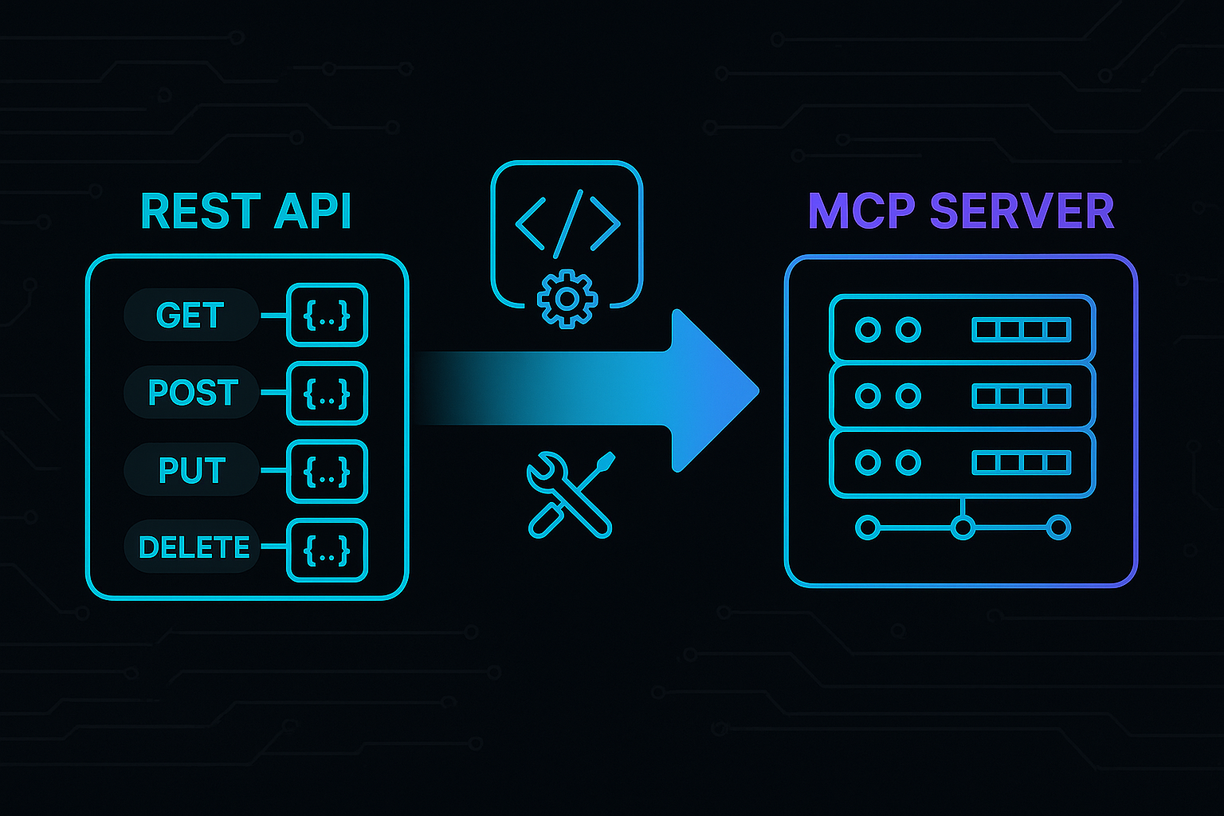
O MCP Showcase fecha essa lacuna: ele transforma o seu servidor em um playground de MCP que qualquer pessoa pode experimentar no navegador em segundos.

trending_up
Para vendas
Converta leads sem uma reunião de integração

Envie um link de um playground de MCP ao vivo em vez de um PDF de 40 páginas. Os potenciais clientes testam o seu servidor MCP por conta própria — ou o encaminham para os desenvolvedores deles para uma aprovação técnica — enquanto as análises mostram quem está realmente engajado.

Learn morearrow_forward
insights
Para produto e engenharia
Veja como as pessoas realmente usam suas ferramentas

Cada conversa e cada chamada de ferramenta é registrada. Identifique onde os usuários travam, quais ferramentas confundem o agente e quais descrições de ferramentas e prompts reescrever — melhorando a qualidade do MCP em dias, não em semanas.

Learn morearrow_forward
campaign
Para marketing
Explique MCP a um mercado que ainda está se atualizando

Dê a um mercado que mal conhece MCP uma forma prática de entendê-lo. Publique uma página de apresentação interativa e otimizada para SEO do seu servidor e impulsione a adoção em vez da confusão.

Learn morearrow_forward

Servidores MCP já apresentados

Explore playgrounds ao vivo de servidores MCP em que as equipes já confiam.

GitHub MCP server Tavily MCP server Exa MCP server Hugging Face MCP server Microsoft Learn MCP server Teamwork MCP server ilert MCP server

Playground de MCP pronto para lançar

Coloque no ar em menos de cinco minutos um playground isolado e interativo para o seu servidor MCP. Sem tickets de DevOps, sem risco para a produção.

  • check_circle Suporte a SSE e HTTP streamável
  • check_circle Introspecção automática de MCP — documentação e exemplos gerados para você
Comece Gratuitamente arrow_forward

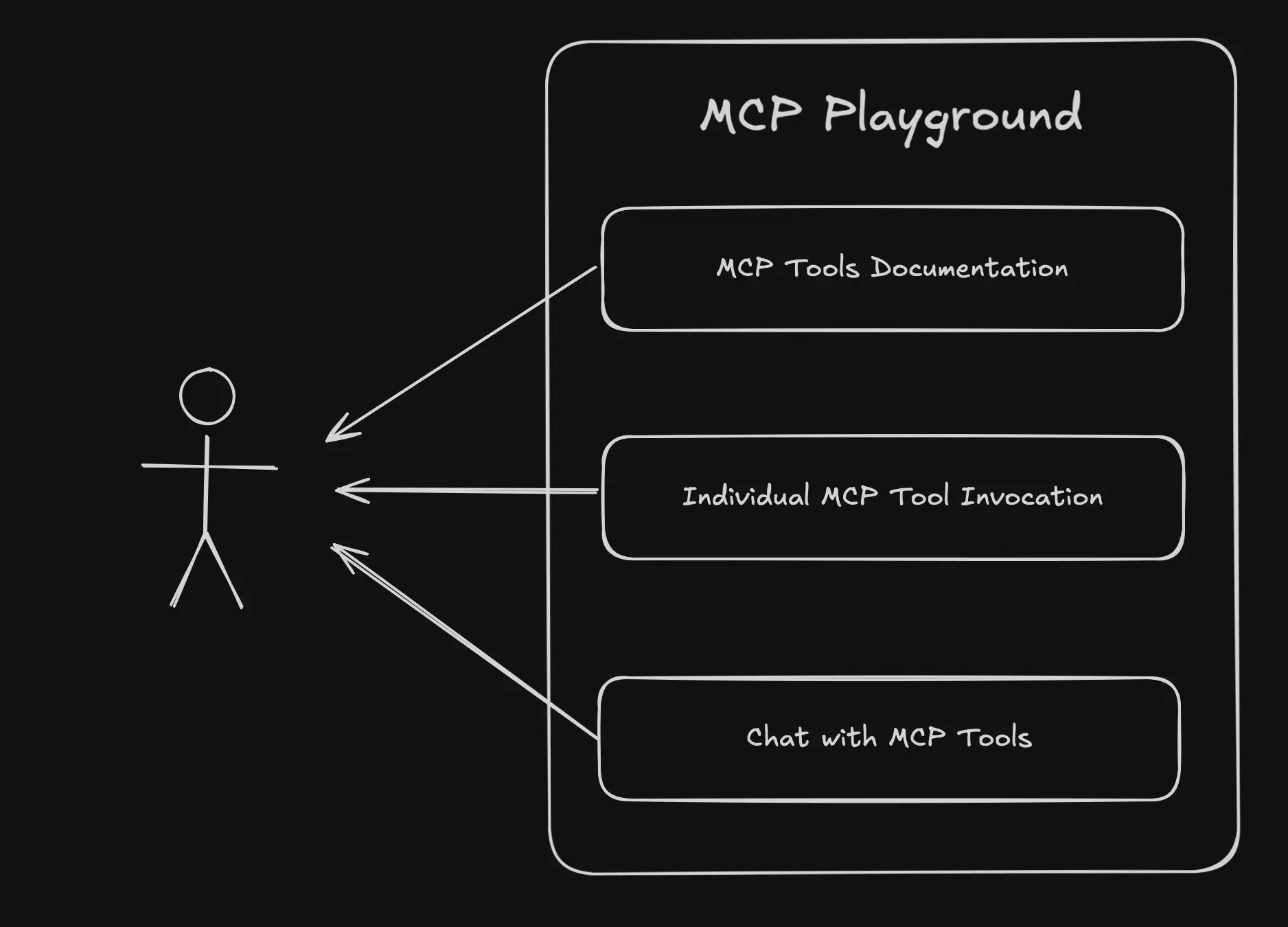
Documentação interativa e chat MCP ao vivo

Mantenha decisores e desenvolvedores no fluxo enquanto exploram suas ferramentas MCP (Model Context Protocol) — sem configuração, direto no navegador.

  • check_circle Documentação gerada automaticamente para cada ferramenta MCP
  • check_circle Histórico de chat de exemplo que mostra o servidor em ação
  • check_circle Chat ao vivo conectado às suas ferramentas MCP reais
Agende uma demonstração arrow_forward

Experimente um playground de MCP real agora mesmo

Explore o servidor MCP ao vivo abaixo — e depois incorpore o mesmo playground de MCP no seu próprio site ou app. Incluído no nosso plano gratuito.

Context7 MCP - Documentação de código atualizada para qualquer prompt

Experimente comparar a experiência de explorar o site oficial e sua documentação com o playground MCP abaixo.

Widget gerado pelo MCP Showcase

Explore mais playgrounds MCP

Tavily Logo
Tavily MCP Server
https://www.tavily.com/
Tavily provides a web access layer built specifically for AI agents and applications, offering one secure API for real-time web access. Trusted by over 2 million developers and used by enterprises like MongoDB, IBM, AWS, and JetBrains, Tavily grounds language models with fresh, structured web context to help agents reason over facts without hallucinating. This MCP server exposes Tavily's core capabilities through five complementary tools: **search** for retrieving current web information, **extract** for pulling clean content from specific URLs, **crawl** for exploring websites with configurable depth and breadth, **map** for discovering a website's structure, and **research** for conducting comprehensive multi-source investigations. Together, these tools enable AI agents to fetch live data, parse and structure web content, and perform deep research—all backed by a production-grade retrieval stack featuring built-in safeguards against PII leakage, prompt injection, and malicious sources. With 300M+ monthly requests handled and 99.99% uptime, Tavily is engineered for reliability at scale. ## Use Cases **1. Real-time factual search and news lookup** Use `tavily_search` to retrieve up-to-date information on any topic that falls beyond a model's knowledge cutoff, with control over recency, domains, and geographic relevance. - Sample prompt: `Search for the latest news on OpenAI's product announcements from the past week and give me the source URLs.` **2. Extracting content from specific web pages** Use `tavily_extract` to pull clean, structured markdown or text content from one or more known URLs, including protected sites, LinkedIn, or pages with tables. - Sample prompt: `Extract the full article content from these three URLs and summarize the key points from each.` **3. Crawling a website for documentation or research** Use `tavily_crawl` to systematically explore a site starting from a root URL, gathering content across multiple pages with defined depth and path filters. - Sample prompt: `Crawl the docs.stripe.com site and collect all pages under the /payments path, then summarize their API authentication requirements.` **4. Mapping a website's structure** Use `tavily_map` to generate a list of all URLs reachable from a base URL, useful for site audits or planning a targeted crawl. - Sample prompt: `Map the entire structure of https://www.example.com and show me all the pages under the /blog section.` **5. Comprehensive multi-source research** Use `tavily_research` to conduct deep investigations across many sources and receive a detailed synthesized response, ideal for broad or complex questions. - Sample prompt: `Research the current state of the electric vehicle battery market, including major manufacturers, recent breakthroughs, and projected growth through 2030.` **6. Competitive and market intelligence (combined tools)** Combine `tavily_search` and `tavily_extract` to first discover relevant competitor pages, then extract detailed content for analysis. - Sample prompt: `Find the pricing pages for the top 3 project management SaaS tools, extract their pricing tiers, and build a comparison table.` **7. Country-specific and time-bound fact checking** Use `tavily_search` with country and date-range filters to verify claims or gather region-specific data within a defined time window. - Sample prompt: `Search for renewable energy policy changes in Germany between 2024-01-01 and 2024-12-31 and list the key legislative updates.` **8. Building a knowledge base from a domain (combined tools)** Combine `tavily_map` and `tavily_crawl` to first map a site's structure, then crawl selected sections to ingest content into a knowledge base. - Sample prompt: `Map the help center at support.myproduct.com, then crawl all the troubleshooting articles so I can build an internal FAQ dataset.`
Microsoft Logo
Microsoft Learn MCP Server
https://learn.microsoft.com/en-gb/
The **Microsoft Learn MCP Server** provides AI-powered access to official Microsoft and Azure documentation, enabling assistants to ground their answers in accurate, first-party knowledge. It connects directly to Microsoft Learn and other trusted Microsoft sources, ensuring responses are always based on the latest official content. The server offers three complementary tools focused on documentation retrieval and code assistance. These include searching documentation for relevant content chunks, fetching complete webpages in markdown format, and retrieving official code samples for Microsoft/Azure development tasks. Together, these tools help developers, IT professionals, and learners get trustworthy answers, step-by-step guidance, and practical code examples across the entire Microsoft ecosystem—including Azure, .NET, Microsoft 365, and Copilot technologies. ## Use Cases ### 1. Grounding answers in official Microsoft documentation Quickly search across Microsoft Learn to find relevant, accurate content for any Microsoft/Azure question, ensuring responses reflect first-party knowledge. - Sample prompt: `How do I configure managed identities for an Azure App Service to access Azure Key Vault?` ### 2. Retrieving complete tutorials and step-by-step guides When a search result is truncated or highly relevant, fetch the full documentation page to get comprehensive procedures, prerequisites, and troubleshooting details. - Sample prompt: `Give me the complete step-by-step tutorial for deploying a containerized app to Azure Kubernetes Service, including all prerequisites.` ### 3. Generating code with the latest official samples Retrieve up-to-date, official code snippets when writing Microsoft/Azure related code, filtered by your preferred programming language. - Sample prompt: `Show me a C# code sample for uploading a file to Azure Blob Storage using the latest Azure.Storage.Blobs SDK.` ### 4. Comparing services and making architecture decisions Search documentation to understand differences between Microsoft services and get authoritative guidance for architectural choices. - Sample prompt: `What's the difference between Azure Functions and Azure Logic Apps, and when should I use each based on official Microsoft guidance?` ### 5. Troubleshooting errors with authoritative sources Search and fetch detailed troubleshooting sections from Microsoft docs to resolve specific errors or configuration issues. - Sample prompt: `I'm getting a "403 Forbidden" error when calling the Microsoft Graph API. Find the official troubleshooting steps to fix this.` ### 6. Learning SDK and API usage patterns Combine documentation search with code sample retrieval to fully understand how to use a specific SDK, class, or method. - Sample prompt: `Explain how to use the Azure OpenAI Python SDK to create chat completions, and include a working code example.` ### 7. PowerShell and Azure CLI automation scripting Retrieve official command-line samples for automating Azure resource management and administrative tasks. - Sample prompt: `Give me a PowerShell script to create a new Azure resource group and deploy a virtual machine into it using official examples.` ### 8. Exploring new Microsoft features and best practices Search the latest documentation to stay current with new capabilities and recommended best practices across Microsoft products. - Sample prompt: `What are the current best practices for securing a .NET 8 web API with Microsoft Entra ID authentication?`
GitHub Logo
Github MCP Server
https://github.com/github/github-mcp-server
The GitHub MCP Server is GitHub's official Model Context Protocol server, designed to connect AI assistants and agents directly to GitHub's platform. It exposes a comprehensive set of tools that allow language models to interact with repositories, issues, pull requests, files, branches, releases, and teams programmatically. This server enables end-to-end software development workflows, from creating and managing repositories to handling code reviews and collaboration. The available tools cover repository management (creating repos, branches, and files), issue tracking (creating, updating, and commenting on issues), pull request review workflows (adding review comments, replies, and reactions), and organizational context (retrieving teams, members, and authenticated user details). Maintained by GitHub and released under the MIT license, the server supports read-only and lockdown modes for security-conscious environments and is highly configurable. It serves as a powerful bridge for automating and streamlining common developer operations through natural language. ## Use Cases ### 1. Repository Setup and Management Quickly bootstrap new projects by creating repositories, initializing files, and setting up branches without leaving your AI assistant. - Sample prompt: `Create a new private repository called "payment-service" in my organization "acme-corp", initialize it with a README, and add a description saying "Handles payment processing".` ### 2. File Operations and Content Management Create, update, retrieve, or delete files directly in a repository, useful for configuration changes or quick edits. - Sample prompt: `Update the file "config/settings.yaml" on the "develop" branch of acme-corp/payment-service to change the timeout value to 30 seconds, and commit it with the message "Increase timeout".` ### 3. Issue Tracking and Triage Create, update, and organize issues, including assigning labels, milestones, assignees, and managing sub-issue hierarchies. - Sample prompt: `Create a new issue in acme-corp/payment-service titled "Fix null pointer in checkout flow", assign it to user "janedoe", add the labels "bug" and "priority-high", and set the body describing the crash on the payment confirmation page.` ### 4. Pull Request Creation and Review Open pull requests, request reviewers, and add detailed line-by-line review comments on the diff to facilitate code review workflows. - Sample prompt: `Create a pull request in acme-corp/payment-service from branch "feature/retry-logic" into "main" titled "Add retry logic for failed payments", and request review from "senior-dev-team".` ### 5. Code Review Comments and Feedback Add pending review comments, reply to existing comments, and react to feedback on specific lines of code. - Sample prompt: `On pull request #42 in acme-corp/payment-service, add a review comment on line 85 of "src/checkout.js" on the RIGHT side saying "This should handle the timeout exception explicitly".` ### 6. Issue and PR Collaboration Add comments and emoji reactions to issues and pull requests to keep discussions moving and acknowledge contributors. - Sample prompt: `Add a comment to issue #17 in acme-corp/payment-service saying "I've reproduced this bug and will have a fix by tomorrow", and add a rocket reaction to the issue itself.` ### 7. Release and Tag Inspection Retrieve the latest releases, specific releases by tag, or git tag details to track versioning and deployment history. - Sample prompt: `Get the latest release for acme-corp/payment-service and show me its release notes and tag name.` ### 8. Commit and Change Investigation Fetch detailed commit information, including file-level stats or full diffs, to understand changes and troubleshoot regressions. - Sample prompt: `Show me the full patch details for commit abc123def in acme-corp/payment-service so I can see exactly what changed in the checkout module.` ### 9. Repository Forking and Branching for Contribution Fork repositories and create feature branches to contribute to open-source or team projects. - Sample prompt: `Fork the repository octocat/hello-world to my account, then create a new branch called "fix-typo" from the main branch.` ### 10. Team and Organization Context Retrieve team memberships and member lists to understand organizational structure and route reviews or assignments appropriately. - Sample prompt: `List all the teams I'm a member of, and then show me the members of the "backend-engineers" team in the "acme-corp" organization.` ### 11. Label Management and Standardization Fetch label details to keep issue categorization consistent across a repository. - Sample prompt: `Get the details of the "priority-high" label in acme-corp/payment-service including its color and description.` ### 12. Authenticated User Profile Lookup Retrieve details of the authenticated user to personalize actions or auto-fill ownership information in other operations. - Sample prompt: `Who am I logged in as? Get my GitHub profile details and list the repositories I own.`
HuggingFace Logo
HuggingFace MCP Server
https://huggingface.co/mcp
The **Hugging Face MCP Server** connects AI assistants to Hugging Face's vast ecosystem of machine learning resources, including models, datasets, spaces (AI applications), research papers, and documentation. As an open-source offering from Hugging Face, this server provides a secure, standardized bridge between conversational AI clients and the Hub's rich collection of state-of-the-art AI tools and content. The server exposes tools for authenticated identity checks, powerful repository search, detailed repository inspection, and a flexible filesystem-style navigation interface. Together, these tools let assistants discover trending models, preview datasets, explore AI spaces, and read research papers—all through simple, structured queries. Whether you're browsing the latest text-generation models, inspecting a dataset's schema before use, or reading through a paper's content, the Hugging Face MCP Server makes the entire Hub programmatically accessible to your AI workflows. ## Use Cases **1. Discovering Trending and Relevant Models** Search across models, datasets, and spaces with filtering by author, tags, popularity, and recency to find exactly what you need. - Sample prompt: `Find me the top 10 most downloaded text-generation models from Meta on Hugging Face, and include links to each repository.` **2. Exploring and Previewing Datasets** Inspect dataset structure to discover configs, splits, and schema, then preview actual rows before committing to a download or fine-tuning task. - Sample prompt: `Show me the structure of the 'squad' dataset, then preview the first 5 rows of the training split.` **3. Getting Detailed Model Information** Retrieve overviews for one or more repositories to compare capabilities, licenses, and specifications side by side. - Sample prompt: `Give me the details and overview for openai/gpt-oss-120b and meta-llama/Llama-3-70B so I can compare them.` **4. Finding AI Applications (Spaces)** Use semantic search and tag filtering to locate ready-to-use AI apps and demos, including MCP-server spaces. - Sample prompt: `Search Hugging Face Spaces for text-to-image generation apps and show me the most trending ones.` **5. Reading Research Papers** Navigate to papers by arXiv ID to discover related resources and read the full paper content or metadata directly. - Sample prompt: `Pull up the paper with arXiv ID 1706.03762 and summarize its key contributions for me.` **6. Browsing Trending Content** List trending models, datasets, spaces, or papers to stay current with the latest developments in the AI community. - Sample prompt: `What are the top trending datasets on Hugging Face right now?` **7. Navigating Repository Files** Use filesystem-style commands (ls, cat, stat, find) over hf:// URIs to explore repository contents, read config files, or locate specific files. - Sample prompt: `List all the files in the mistralai/Mistral-7B-v0.1 model repository and show me the contents of its config.json.` **8. Searching Documentation** Query Hugging Face's product documentation to find guidance on transformers, datasets, or other libraries. - Sample prompt: `Search the Hugging Face Transformers documentation for how to use the Trainer API.` **9. Author-Scoped Discovery** Filter searches to a specific organization or user to survey their entire catalog of contributions. - Sample prompt: `Show me all the datasets published by the 'google' organization on Hugging Face, sorted by likes.` **10. Verifying Authentication Context** Confirm the identity of the authenticated user driving Hub interactions. - Sample prompt: `Which Hugging Face account am I currently authenticated as?`
Teamwork Logo
Teamwork MCP Server
https://teamwork.com
This MCP server connects to **Teamwork.com**, an AI-powered professional services automation platform that helps agencies, consultancies, IT service providers, and other client-focused businesses run projects, resources, and financials in one place. The server exposes a comprehensive set of tools spanning the entire Teamwork.com ecosystem, enabling AI assistants to manage work end-to-end without leaving the conversation. The tools are organized into four main product areas. **Teamwork Projects** (`twprojects-*`) covers the core project management surface — projects, tasks, tasklists, milestones, comments, messages, notebooks, links, time tracking (timelogs and timers), workflows, custom fields, custom item types, budgets, teams, users, tags, skills, and workload reporting. **Teamwork Desk** (`twdesk-*`) handles customer support with tickets, inboxes, customers, companies, priorities, statuses, ticket types, help doc articles, and agents. **Teamwork Chat** (`twchat-*`) provides messaging capabilities including conversations, direct messages, and people lookup, while **Teamwork Spaces** (`twspaces-*`) manages a knowledge base of collaborative pages, comments, categories, tags, and spaces. Together these tools let you create, read, update, search, and report across the full Teamwork.com suite — from logging billable time to spinning up projects from templates and forecasting team workload. ## Use Cases ### 1. Project setup and cloning Quickly stand up new client projects manually or from templates, then organize tasklists and milestones. - Sample prompt: `Create a new project called "Acme Website Redesign" for the Acme company starting 2025-07-01, then add tasklists for Discovery, Design, and Development.` - Sample prompt: `Clone our "Client Onboarding Template" project into a new project called "Beta Corp Onboarding" starting today.` ### 2. Task management and delegation Create, assign, prioritize, and track tasks through completion and workflow stages. - Sample prompt: `Create a high-priority task "Finalize homepage mockups" in tasklist 48291, assign it to user 1023, due next Friday, and estimate 4 hours.` - Sample prompt: `Show me all unassigned, unplanned tasks in project 55210 and list who created each one.` ### 3. Time tracking and billable reporting Log time, run timers, and produce exact profitability-focused totals grouped by user or project. - Sample prompt: `Log 2 hours 30 minutes of billable time against task 88213 for today with the description "Client review call".` - Sample prompt: `Summarize all billable vs unbilled hours per project for the month of June 2025.` ### 4. Resource and workload planning See task allocation across the team to spot over- and under-utilization. - Sample prompt: `Show me the workload for the design team between 2025-07-01 and 2025-07-15 and flag anyone over capacity.` ### 5. Customer support ticket handling (Teamwork Desk) Triage, reply to, and update support tickets, and manage inboxes, statuses, and priorities. - Sample prompt: `Find all open high-priority tickets in the Support inbox, then reply to ticket 41022 letting the customer know a fix is on the way.` - Sample prompt: `Add an internal note to ticket 41055 assigning it to agent 88 and tag it as "escalation".` ### 6. Customer and company (client) records management Create and maintain customer and company records across both Projects and Desk. - Sample prompt: `Create a new Desk company called "Northwind Traders" with the domain northwind.com and add a customer named Jane Doe with email jane@northwind.com.` ### 7. Cross-entity and knowledge search Search across projects, tasks, files, messages, help docs, and Spaces pages. - Sample prompt: `Search all projects and tasks for anything mentioning "GDPR compliance" updated in the last month.` - Sample prompt: `Search our help docs for published articles about "password reset".` ### 8. Team communication (Teamwork Chat) Send direct messages and post to conversations, resolving people by name. - Sample prompt: `Send a direct message to Sarah Kelly letting her know the design review is moved to 3pm tomorrow.` - Sample prompt: `Post a message in the "Project Leads" conversation summarizing this week's blockers.` ### 9. Knowledge base authoring (Teamwork Spaces) Create and maintain internal documentation pages, comments, and required reading. - Sample prompt: `Create a page titled "Client Onboarding Checklist" in space 12 and publish it with our standard onboarding steps.` - Sample prompt: `Duplicate page 8842 as "2025 Style Guide" and mark it as required reading.` ### 10. Custom items for bespoke workflows Model non-standard entities like Contracts, Leads, or Deals with custom fields and records. - Sample prompt: `List the custom item types on project 55210, then add a new "Contract" record named "Acme Retainer 2025" with a value of 24000 and status Active.` ### 11. Custom fields and metadata Define and populate custom fields on tasks, projects, and companies for richer reporting. - Sample prompt: `Create a dropdown custom field called "Account Tier" with Gold, Silver, and Bronze options at the installation level, then set it to Gold on project 55210.` ### 12. Messages, notebooks, and links collaboration Centralize project discussions, reference docs, and shared resources. - Sample prompt: `Post a project message titled "Sprint 3 Kickoff" to project 55210 notifying all members, and add a link to our shared Figma board.` ### 13. Activity monitoring and status reporting Review recent activity and comments to build status updates. - Sample prompt: `Show me all activity in project 55210 over the last 7 days involving milestones and timelogs, then draft a client status summary.` ### 14. Workflow management Set up workflows and move tasks through stages for visual pipeline tracking. - Sample prompt: `Create a workflow called "Content Pipeline" with stages Draft, Review, and Published, link it to project 55210, and move task 88213 into Review.`
Hive Intelligence Logo
Hive Intelligence MCP Server
https://www.hiveintelligence.xyz
Hive Intelligence provides a managed MCP server that acts as a single connection for evidence-backed crypto due diligence. Every answer is delivered with sources, freshness context, and a runtime receipt (provider evidence time, cache age, runtime status, and a server-issued receipt ID), so agents can preserve verifiable provenance for each data point. Rather than exposing hundreds of endpoints directly, Hive uses a discover-then-execute workflow. Agents first search a catalog of canonical task toolsets and intent-based routes with `search_tools`, inspect the exact input contract with `get_api_endpoint_schema`, then run read-only queries through `invoke_api_endpoint` or approved state changes through `invoke_stateful_endpoint`. A final `validate_task_result` step checks the proposed answer against Hive's typed task-output and evidence-receipt contract. The underlying catalog spans market data, onchain activity, risk screening, and prediction markets, normalizing providers such as CoinGecko, Moralis, Tenderly, Helius, GoPlus, CCXT, Codex, Alchemy, DeFiLlama, and Hyperliquid. Its source-backed inventory covers roughly 10 category endpoints, 519 provider tools, and 18 Hive-native stateful tools, all reachable through the same bounded execution contract. ## Use Cases - **Token safety screening before signing/swapping** Combine risk tools like honeypot detection, contract risk, and rugpull signals to vet a token before any transaction. Sample prompt: `` Use Hive to screen the token at 0x1234...abcd on Ethereum for honeypot risk, contract vulnerabilities, and rugpull signals, and tell me if it's safe to research further. `` - **Live market price and stats lookups** Fetch current prices, volumes, market caps, movers, and global market stats across venues. Sample prompt: `Get me the current BTC and ETH prices in USD along with 24h volume and market cap using Hive tools.` - **Wallet portfolio and transaction history analysis** Pull token balances, transaction history, and DeFi positions for a given wallet. Sample prompt: `` Show me all token balances and the recent transaction history for wallet 0xabc...789 on Ethereum using Hive. `` - **DeFi protocol and TVL research** Inspect protocol TVL, DeFi positions, and trending liquidity pools for diligence reports. Sample prompt: `Use Hive to give me the current TVL for Aave and Uniswap, plus the top trending DEX pools right now.` - **Prediction market tracking and reporting** Discover prediction markets, monitor price movement, and aggregate trade flow for ranking or reporting. Sample prompt: `Track the top prediction markets on Codex through Hive and summarize recent trade flow and event stats for the biggest ones.` - **End-to-end due-diligence workflow with verifiable receipts** Run a full route (discover → inspect schema → execute → validate) that produces a pass/block/escalate decision backed by evidence receipts. Sample prompt: `` Run a full Hive due-diligence workflow on the PEPE token: check price, liquidity, and security risk, then give me a pass/block/escalate decision with runtime receipts for each source. `` - **DEX flow and trending pool discovery** Surface trending pools and DEX flows to spot emerging tokens or liquidity shifts. Sample prompt: `Use Hive to find the trending DEX pools on Solana in the last 24 hours and flag any with unusual liquidity changes.` - **Comparative market movers analysis** Query market data to identify top gainers and losers for agent-driven watchlists. Sample prompt: `Get the top 10 crypto gainers and losers over the last 24 hours from Hive market data with their current prices.` - **Saving and managing durable diligence state** Use Hive-native stateful endpoints (after explicit approval) to remember, acknowledge, or resolve monitoring alerts and reports. Sample prompt: `After reviewing this token risk report, save it to my Hive workspace and set an alert I can acknowledge later.` - **Validating an answer before presenting it to a user** Ensure a generated crypto answer meets citation, phase coverage, and receipt-consistency requirements before delivery. Sample prompt: `Validate my proposed token-risk answer against Hive's task-output contract and confirm each claim is backed by a proper evidence receipt.`
Explorar outros servidoresarrow_forward

Transforme o uso real em um servidor MCP melhor

Cada sessão do playground é registrada, para que suas equipes de produto e engenharia vejam exatamente como os potenciais clientes usam suas ferramentas MCP — e ajam com base nisso.
  • check_circle Veja quais ferramentas são usadas, onde os usuários travam e onde o seu design de MCP confunde o agente.
  • check_circle Reescreva descrições de ferramentas e prompts a partir de transcrições reais de chat para melhorar a qualidade das respostas.
  • check_circle Transforme sinais de engajamento em receita — identifique os leads prontos para integrar.
Comece Gratuitamente arrow_forward

Construído para empresas, disponível para todos

Atenda às necessidades da sua empresa com um pacote em constante crescimento de complementos e recursos.

  • check_circle Suporte dedicado liderado pelo fundador
  • check_circle Auto-hospedado ou na nuvem
  • check_circle Contratos individuais e NDA
  • check_circle Conformidade com o GDPR
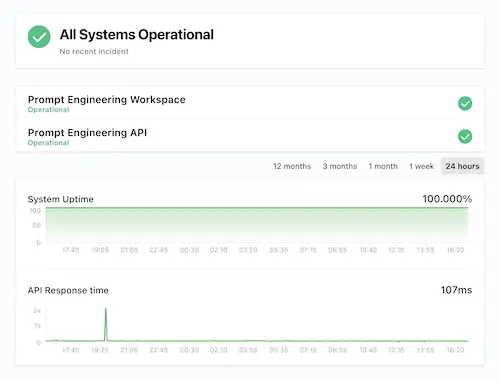
  • check_circle Tempo de atividade garantido de 99,9%
Agende uma demonstração arrow_forward

Como o playground de MCP funciona

Vá de um endpoint MCP a um playground interativo e pronto para compartilhar em três passos simples.

key
1. Conecte o seu servidor MCP
settings
2. Adicione dados simulados (opcional)
select_check_box
3. Compartilhe um link ou incorpore o widget
Ferramenta gratuita

Teste seu servidor MCP no navegador

Cole a URL de um servidor MCP e veja todas as ferramentas, recursos e prompts expostos, com esquemas completos e o log de requisições. Grátis, sem instalação e sem cadastro.

Ou configure um servidor MCP no Claude, Cursor, VS Code e outros sete clientes

Saiba mais sobre MCP

Perguntas frequentes

contact_supportO que é MCP?

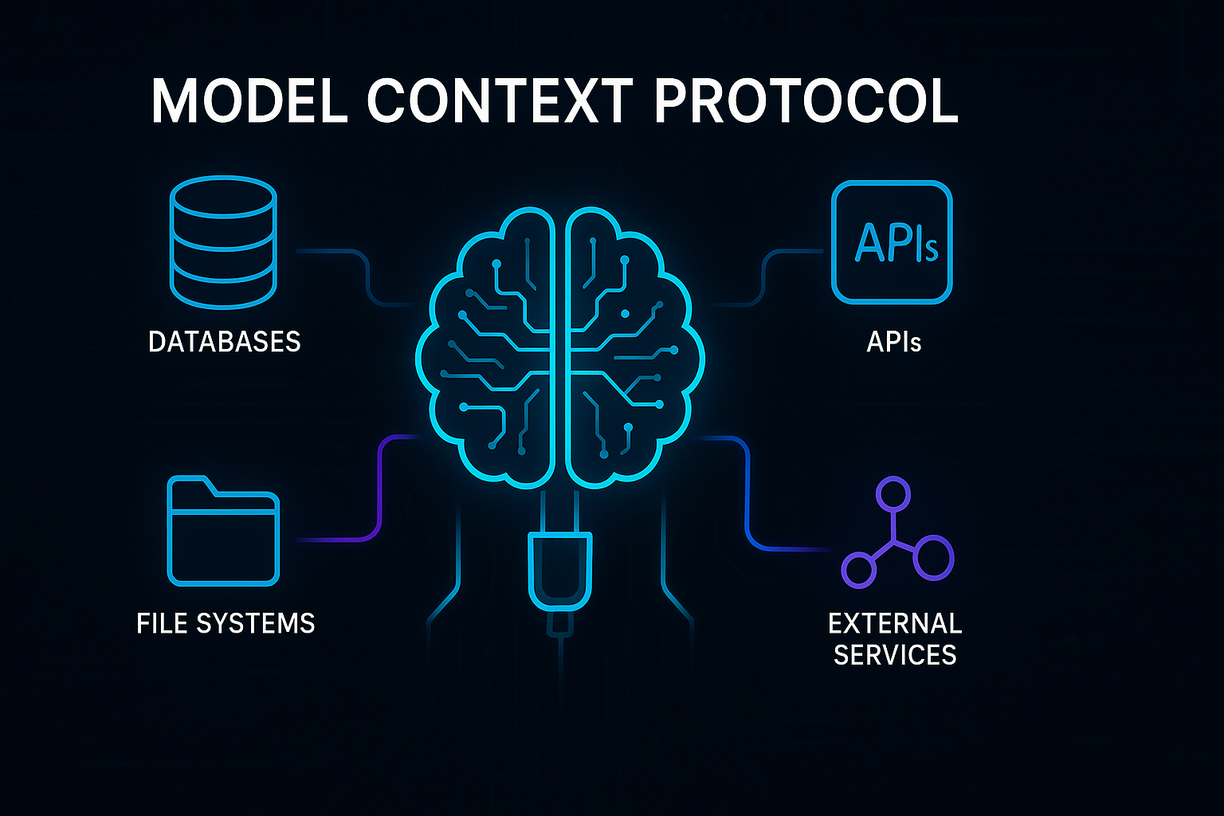
O MCP (Model Context Protocol) é um protocolo padronizado que permite que aplicações de IA se conectem a fontes de dados e ferramentas externas. O MCP permite que os desenvolvedores criem endpoints com os quais os modelos de IA podem interagir, ampliando as capacidades dos sistemas de IA além de seus dados de treinamento para acessar informações em tempo real e realizar ações específicas.

contact_supportO que é um playground MCP?

Um playground MCP é um ambiente de teste interativo onde desenvolvedores e partes interessadas podem experimentar endpoints MCP em tempo real. O playground MCP permite que os usuários testem a funcionalidade da API, entendam como as ferramentas MCP funcionam e experimentem a integração sem qualquer configuração ou risco para os sistemas de produção.

contact_supportO que é um sandbox MCP?

Um sandbox MCP é um ambiente isolado e seguro para testar a funcionalidade de um servidor MCP. O sandbox MCP fornece um espaço controlado onde os desenvolvedores podem explorar endpoints MCP com dados simulados, limitação de taxa e introspecção automática sem afetar os sistemas em produção nem exigir uma configuração de DevOps complexa.

contact_supportPor que preciso de um playground MCP?

Você precisa de um playground MCP para acelerar o aprendizado e a adoção da sua API MCP. Diferente da documentação estática, o playground de servidor MCP fornece feedback em tempo real que ajuda os prospectos a entender seus endpoints MCP mais rápido, reduz a distância entre as partes interessadas técnicas e não técnicas e permite demonstrações ao vivo que podem melhorar significativamente as taxas de conversão do seu funil de vendas.

contact_supportO playground de servidor MCP é adequado para clientes corporativos?

Sim, o playground de servidor MCP foi projetado para funcionar com clientes corporativos, fornecendo ambientes isolados e seguros para testar a funcionalidade MCP. O sandbox MCP inclui recursos de nível corporativo, como limitação de taxa, controles de segurança adequados e a capacidade de demonstrar integrações MCP complexas que os tomadores de decisão corporativos precisam ver antes da aprovação.

contact_supportO que diferencia os ambientes de demonstração MCP da documentação de API tradicional?

Os ambientes de demonstração MCP proporcionam experiências interativas e ao vivo em vez de documentação estática. Sua demonstração de servidor MCP inclui documentação gerada para as ferramentas MCP, um histórico de chat de exemplo para facilitar o entendimento e um chat interativo conectado diretamente às suas ferramentas MCP, permitindo que os prospectos "sintam" seus endpoints MCP em minutos, em vez de apenas ler sobre eles.

contact_supportComo o sandbox de servidor MCP ajuda nas vendas e no marketing?

O sandbox de servidor MCP reduz a distância entre comprador e desenvolvedor ao permitir que partes interessadas não técnicas "vejam funcionar", o que encurta a última milha do funil de vendas. Seu playground MCP permite que cada prospecto vivencie uma demonstração ao vivo e sem risco, ajudando-o a entender a adequação ao seu caso de uso de IA e facilitando convencer os tomadores de decisão.

contact_supportQual é a diferença entre uma demo MCP e um playground?

Uma demo MCP geralmente é uma demonstração pré-configurada com interatividade limitada, enquanto um playground MCP é totalmente prático, permitindo que os usuários modifiquem requisições, troquem conjuntos de dados e conectem seus próprios modelos. Além disso, os prospectos recebem orientação completa sobre como conectar o servidor MCP a diversos clientes, incluindo Claude Desktop, Gemini CLI, Amazon Bedrock, Amazon Q e muitas outras plataformas suportadas.

contact_supportComo o sandbox MCP pode melhorar meu processo de desenvolvimento de produto?

O sandbox MCP fortalece sua equipe de produto ao fornecer insights em tempo real sobre como os prospectos usam seu playground MCP. Esse feedback permite refinar recursos e a qualidade do MCP em dias, não em semanas, oferecendo dados valiosos sobre o comportamento dos usuários e os pontos de atrito que podem orientar seu roteiro de produto.

contact_supportQue tipo de insights posso obter do uso do sandbox MCP?

O sandbox MCP fornece insights em tempo real sobre como os prospectos interagem com suas ferramentas MCP, incluindo quais endpoints eles mais usam, onde encontram dificuldades e quais recursos geram mais interesse. Esses insights ajudam você a refinar suas ofertas de servidor MCP e identificar oportunidades para melhorar a experiência do usuário e aumentar a receita.

contact_supportQuem deve usar um ambiente de demonstração de servidor MCP?

Os ambientes de demonstração de servidor MCP são ideais para empresas de API, provedores de SaaS e desenvolvedores que desejam apresentar seus endpoints MCP a prospectos, partes interessadas e clientes potenciais. Tanto as equipes técnicas quanto os tomadores de decisão não técnicos se beneficiam da demo MCP, pois ela oferece uma maneira acessível de entender e avaliar as possibilidades de integração do MCP.

contact_supportComo o playground MCP ajuda na integração de clientes?

O playground MCP permite que os prospectos entendam como seus endpoints MCP funcionam e permite que se conectem a partir de qualquer cliente suportado. Ao oferecer uma experiência prática com seu servidor MCP, os prospectos podem avaliar melhor a compatibilidade com seus sistemas existentes e entender o processo de integração antes de se comprometer com a implementação.
Transforme a curiosidade em integrações

Criamos o playground MCP mais avançado, para que você não precise fazê-lo